Free Source Code - Expense Tracker & Budget Management System
Free Source Code: House Expense Tracker in Python
About This Project:
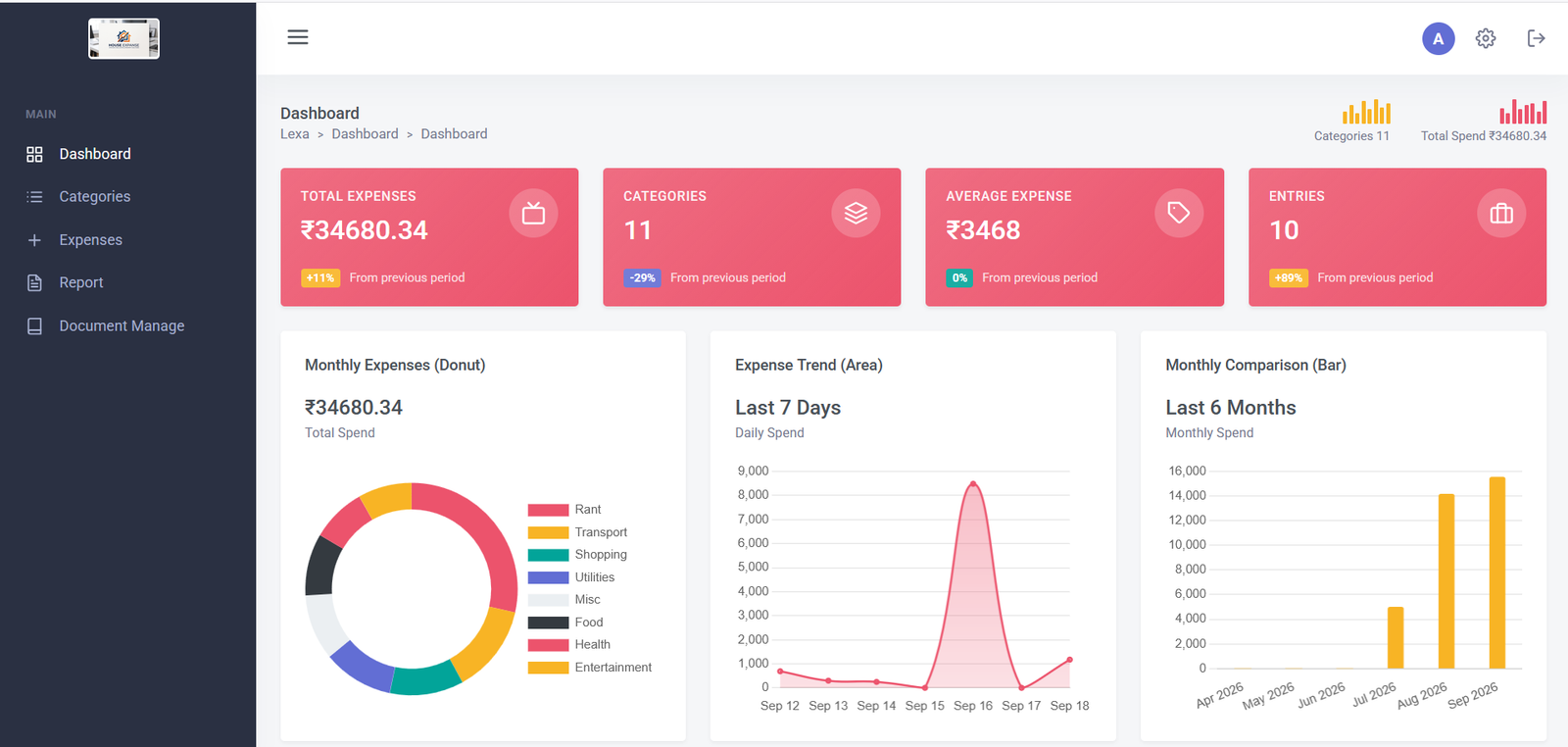
The House Expense Tracker is a complete, modern, and mobile-responsive web application designed to help users manage their daily personal finances effortlessly. Built with Python, this project provides a clean, user-friendly dashboard for tracking household budgets. We are providing the complete source code for free so students and developers can learn, modify, and use it for their own projects.
Technology Stack Used:
Backend: Python
Database: SQLite / MySQL
Frontend: HTML5, CSS3, JavaScript
Design: Fully Responsive and User-Friendly UI (Mobile Ready)
Key Features Included:
1. Dashboard Analytics: A beautiful dashboard to view total expenses at a glance.
2. Category Management: Create and manage custom expense categories (e.g., Food, Rent, Utilities).
3. Multi-Currency Support: Global currency settings allow users to track expenses in their local currency.
4.. Date-Range Reporting: Easily filter and export detailed expense reports based on custom date ranges.
5. Document/Receipt Uploads: Feature to attach images or PDF files (receipts) to specific expense records.
Secure Architecture: Clean and secure Python architecture.
Perfect For:
1. College/University final year Python projects.
2. Beginners looking to learn Python web development and dashboard UI design.
Anyone wanting a personal, private expense tracker.
How to Run this Project (Installation Guide):
1. Download the project zip file and extract it.
2. Open your terminal or command prompt and navigate to the project folder.
3. Install the required dependencies using pip install -r requirements.txt
4. Run database migrations using python manage.py migrate (For Django)
5. Start the local development server using python manage.py runserver (For Django) OR python app.py (For Flask)
6. Open your browser and go to http://127.0.0.1:8000/ to run the app!